There are two ways you can do this, the first being best practice:
Resolution 1
1. Export your TM from Worldserver as explained in this article:
WorldServer - How to export a translation memory (TM)2. Import the TMX files that you have previously exported into a new or a TM of your choice by clicking on Import TM from TMX file
3. After uploading the TMX file in the first step, click
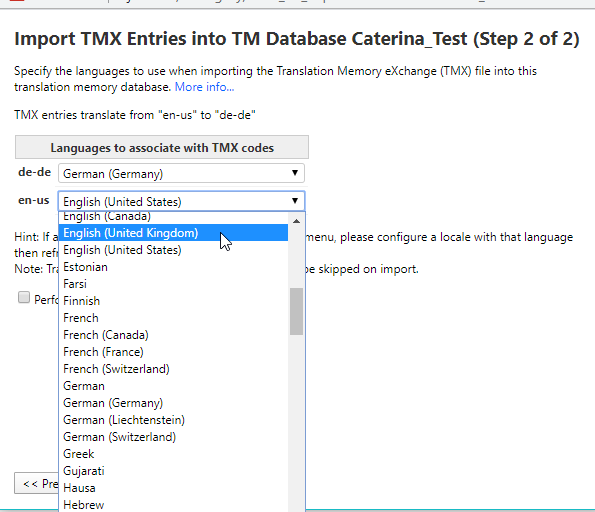
Next 4. In the second import step after the TMX file is uploaded, an option to map the entries found in the TMX to a *different* language/different language variety will be available which can be used to change the language of the uploaded TM entries.
Resolution 2
This resolution is a bit more technical. You can update the TMX manually by opening it in a Text Editor such as NotePad ++ and doing a search and replace, replacing the old language code with the new one to reflect the new language code,
eg. Search for srclang="en-US" and replace with srclang="en-GB"You can see the language codes under the
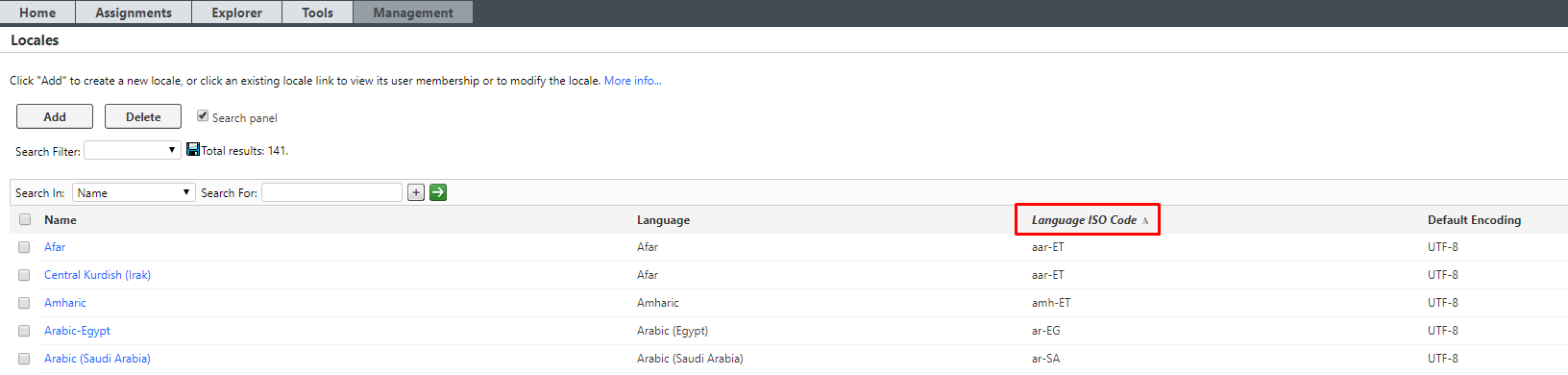
Language ISO Code column for each language in
Management > Business Rule Linkage > Locales