Login/Register
  • Home
  • Community
  • Knowledge
  • Technical Docs
  • RWS Support Policy
  • Trados Studio Licensing Help
  • Login for Support
Back to Search Results

How can I monitor a product defect or enhancement request status in RWS Gateway Support Portal?

000004909 |7/15/2024 10:19 PM
Scope/Environment
All RWS products
Question
A defect or an enhancement request has been logged by RWS Support with development and I have been given a CRQ number.  How can I check the status of the defect?
Answer

1. Go to https://gateway.sdl.com and log in with you RWS Account credentials

User-added image

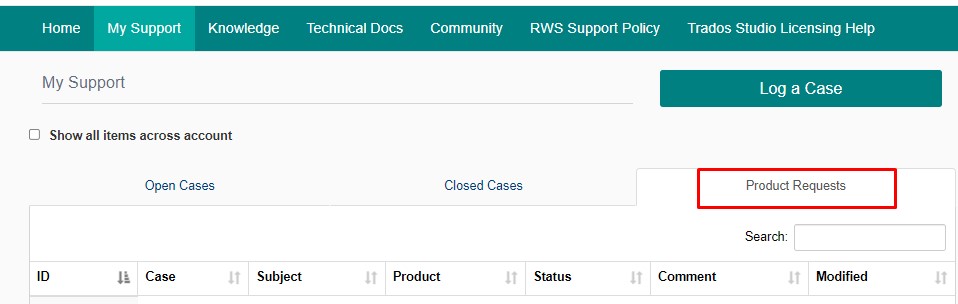
2. Click on My Support

3. Go to Product Requests 

User-added image

If more than one person opens tickets for your company, checking the Show all items across account will allow you to see all the tickets and defects that have been opened.

Reference
RWS Gateway Product Requests Tab
Send Article Feedback
RWS Machine Translation Translation Software Language Services Content Management
All Contents Copyright © RWS.
COPYRIGHT PRIVACY POLICY COOKIE POLICY TERMS AND CONDITIONS