Yes, this is possible.To achieve this you need to make sure that the Workflow that was used to create the project includes the
Final Check manual task (part of the
Finalization stage). You can additionally include the
Hold for Feedback manual task.
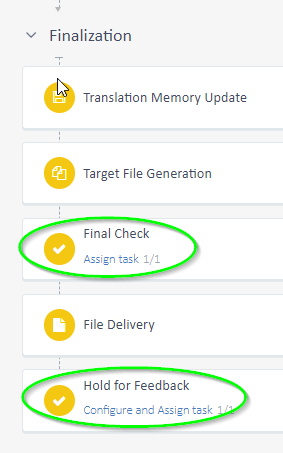
Once the file reaches the
Finalization stage/
Final Check, when you click to complete it, you will be given the option either to progress or to return to the
Translation or
Linguistic Review stage:
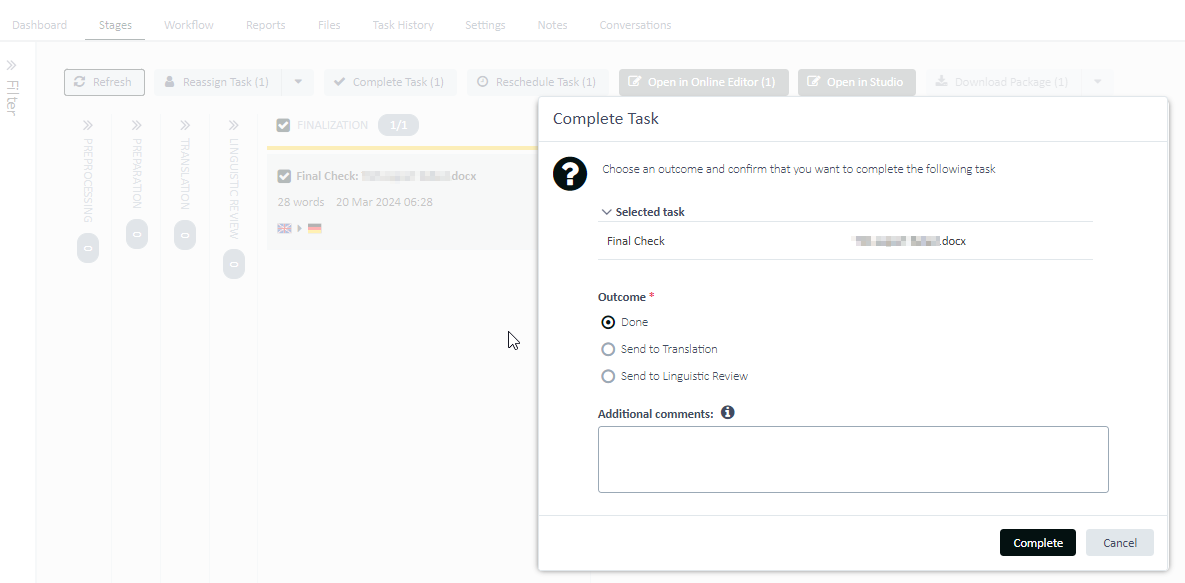
If you select the
Done option, this will generate the target file (
Target File Generation task visible in the
Task History tab). The file will also be moved to the
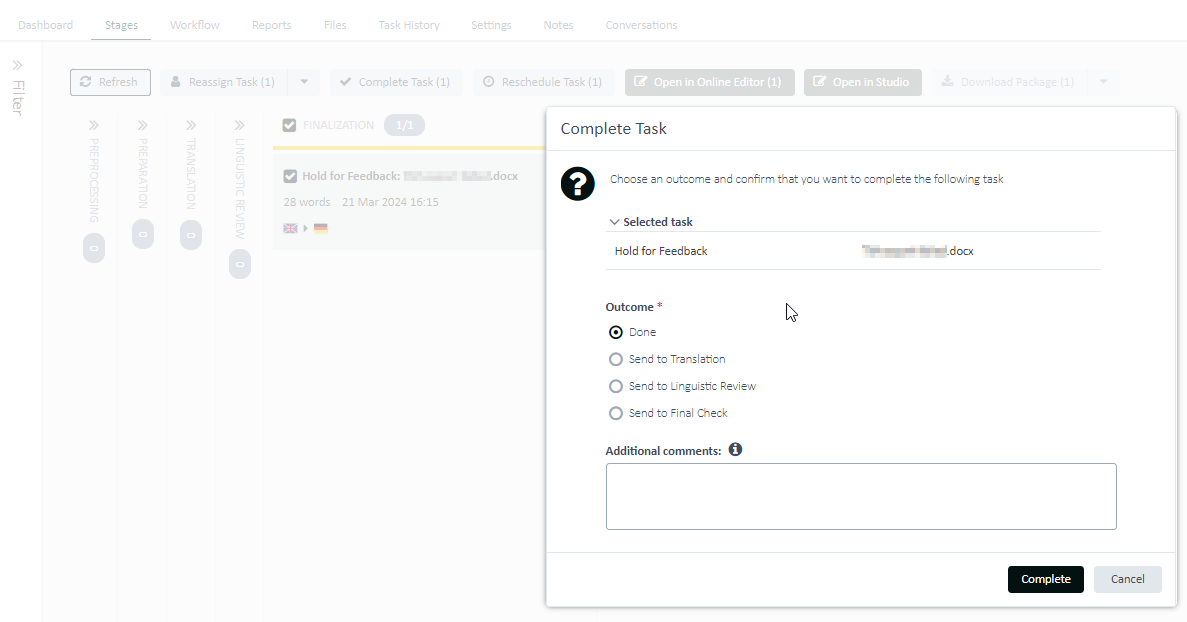
Hold for Feedback task (if this was enabled in the workflow in the first place). You can again return the file from this stage to
Translation,
Linguistic Review, or
Final Check when choosing to complete it.
 NOTE! Changing the Workflow and enabling these tasks on an already-created project won't help. These human tasks need to be enabled in the Workflow before you create the project.
If you did not have the above-mentioned tasks enabled in the first place and you do not want to create a new project with these enabled, you can re-add the same source file to the same project (under the
Files tab but you need to change its name) and you can pass it again through different stages. Already translated content from the original file will be populated in the new file if a Translation Memory was enabled for the project.
For more information check the Project delivery documentation:
- For
Trados Enterprise and
Trados Accelerate offerings:
https://docs.rws.com/791595/710078/trados-enterprise---accelerate/project-delivery- For
Trados Team offering:
https://docs.rws.com/795494/710078/trados-team/project-delivery 