Login/Register
  • Home
  • Community
  • Knowledge
  • Technical Docs
  • RWS Support Policy
  • Trados Studio Licensing Help
  • Login for Support
Back to Search Results

Trados Studio 2021/2022 - Importing TTX files fails with error: "One or more files are no longer supported in this version of Trados Studio"

000018238 |4/15/2022 8:04 AM
Scope/Environment
Trados Studio 2021
Trados Studio 2022
Symptoms/Context
When importing TTX files into a Translation Memory in Trados Studio 2021, the following error message appears: 

One or more files are no longer supported in this version of Trados Studio. To work with such files,  install the Trados Studio Legacy Compatibility Pack from the RWS Appstore.
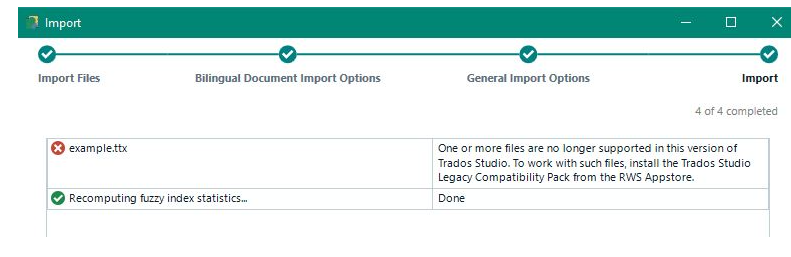
User-added image
After installing the Trados Compatibility and Migration Power Pack  from the RWS AppStore  or from the internal Appstore within Trados Studio, the error still appears when trying to import the TTX file into an existing TM.
 
Resolution
The solution is to enable the additional file types that get installed with  Trados Compatibility and Migration Power Pack.

 - Open Trados Studio
-  Go to File > Options > File Types
-  Click on Additional installed File Types exist, on the right panel.

User-added image
- Import the TTX file again
 
Root Cause
Trados Studio 2021 is no longer processing TTX files. To work with this legacy file type, the Trados Compatibility and Migration Power Pack needs to be installed.
 
Reference
Send Article Feedback
RWS Machine Translation Translation Software Language Services Content Management
All Contents Copyright © RWS.
COPYRIGHT PRIVACY POLICY COOKIE POLICY TERMS AND CONDITIONS
