While it is not possible to export
Idiom/
Legacy Filters from the
File Types table (as you would do for File Types), it is still possible to export them using the old method. To do so, follow these steps:
1- Go to
Management > Administration > Export Objects.
2- In the
Object Types drop-down menu, select
File Types. You will now see all File Types and Filters present in your WorldServer Environment.
3- Select the
Legacy filter configurations you want to export and then click on
Next. Note: Legacy Filters are no longer supported and are marked as Deprecated. Here is an example:

4- After clicking
Next, if you expand the File Types tree, you will be able to verify the Filter configuration that you are about to export. Select
Primary Objects only. This setting is enough for this type of export. Here is an example:
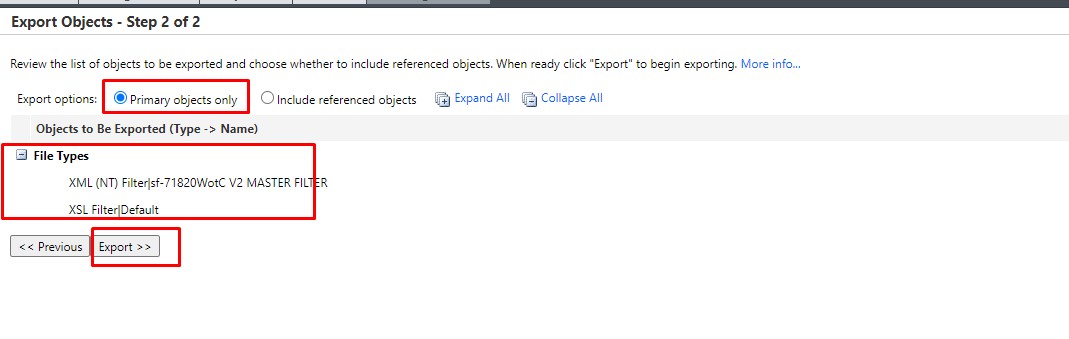
5- After clicking on Export, a TML file called
ExportObjectDefinitions.tml will be created and you will be prompted to download it. You can rename the file if you want.
6- Your export is completed. If required, you can import these filter configurations in a different WorldServer environment. However: The WorldServer version needs to be the same. Moreover, in that environment, Legacy filters need to be enabled.
Also check the
Reference field for more articles about Legacy filters.
