Login/Register
  • Home
  • Community
  • Knowledge
  • Technical Docs
  • RWS Support Policy
  • Trados Studio Licensing Help
  • Login for Support
Back to Search Results

Tridion Docs 14SP4: Map objects templates popup window empty when creating new map

000020556 |12/26/2023 5:45 PM
Scope/Environment
Content Manager
Symptoms/Context
When they attempt to add a new map via Pub Man or XMetaL the popup window titled Select Template has no templates in it:

missing map template

Other users can confirm there are templates and they can be seen in this window. 
Resolution
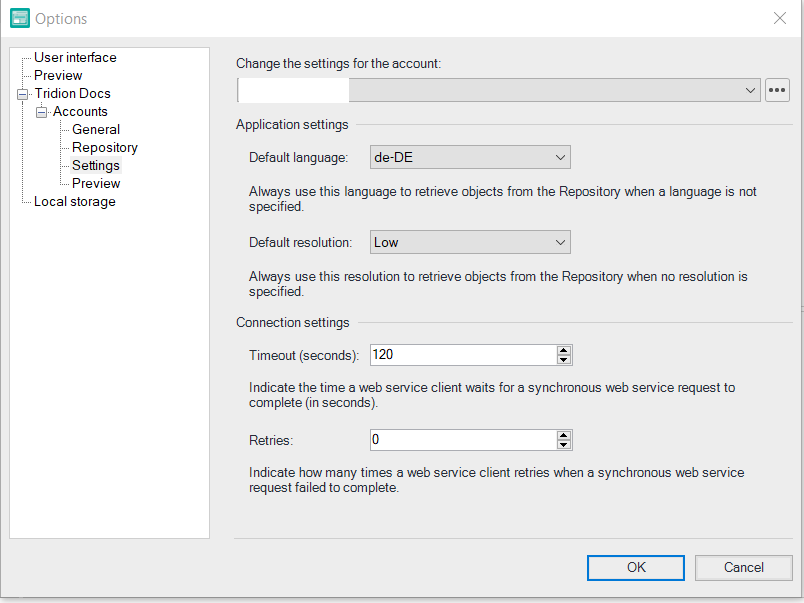
Go to the Publication Manager language settings
(Options - Tridion Docs - Accounts - Settings - Application Settings: Default language) and see what you have there.

It looks like the language of map template and PubMan are different.
Root Cause
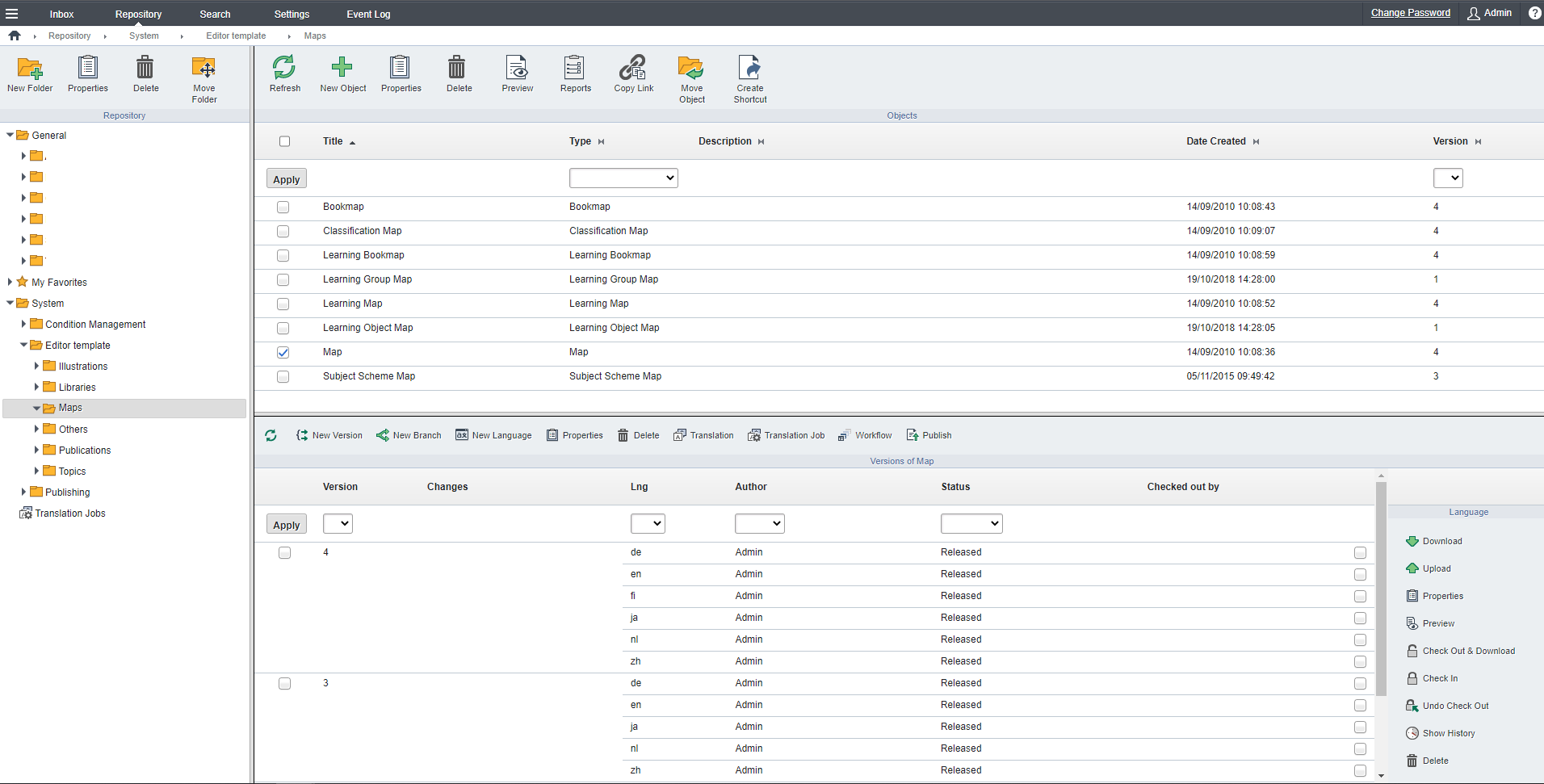
User had Default Language of Publication Manager set to value other than language (en-US) of map template under the "Editor templates" in the Repository.

default language PubMan

map templates in Repository

Make sure templates are in "Released" status and in your default working language, otherwise you cannot use them. 

Reference
Attachments
missing map template SS.png

map templates in Repository.png

default language PubMan.png

Send Article Feedback
RWS Machine Translation Translation Software Language Services Content Management
All Contents Copyright © RWS.
COPYRIGHT PRIVACY POLICY COOKIE POLICY TERMS AND CONDITIONS