Login/Register
  • Home
  • Community
  • Knowledge
  • Technical Docs
  • RWS Support Policy
  • Trados Studio Licensing Help
  • Login for Support
Back to Search Results

Trados Enterprise - The user encounters "Error Code 500" messages when attempting to access the Inbox.

000021529 |6/20/2024 7:13 PM
Scope/Environment
Trados Enterprise
Symptoms/Context

The user cannot view the designated tasks in their inbox. Whenever the user attempts to refresh the inbox by clicking the refresh button, they encounter a 500 error message.

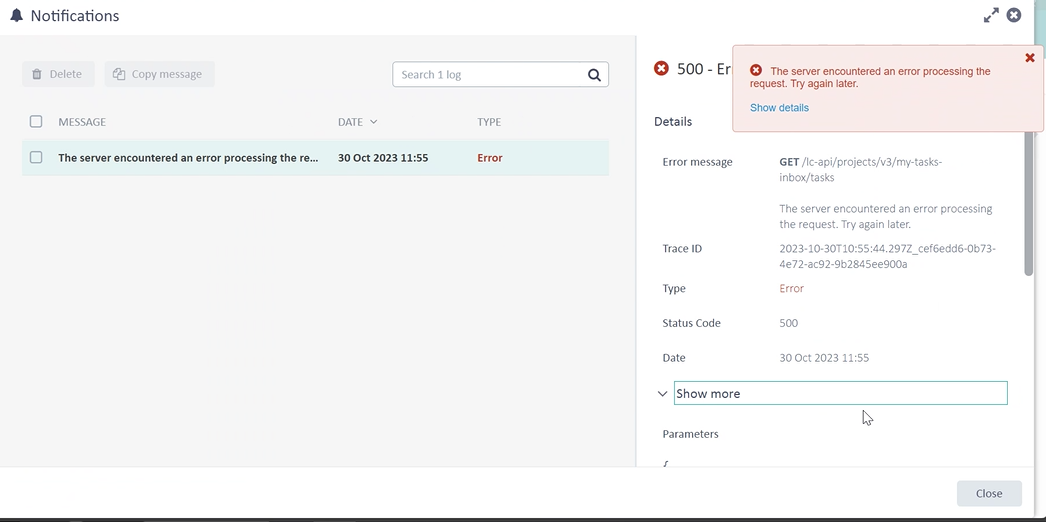
Error 500 - GET /lc-api/projects/v3/my-tasks-inbox/tasks
The server encountered an error processing the request. Try again later.
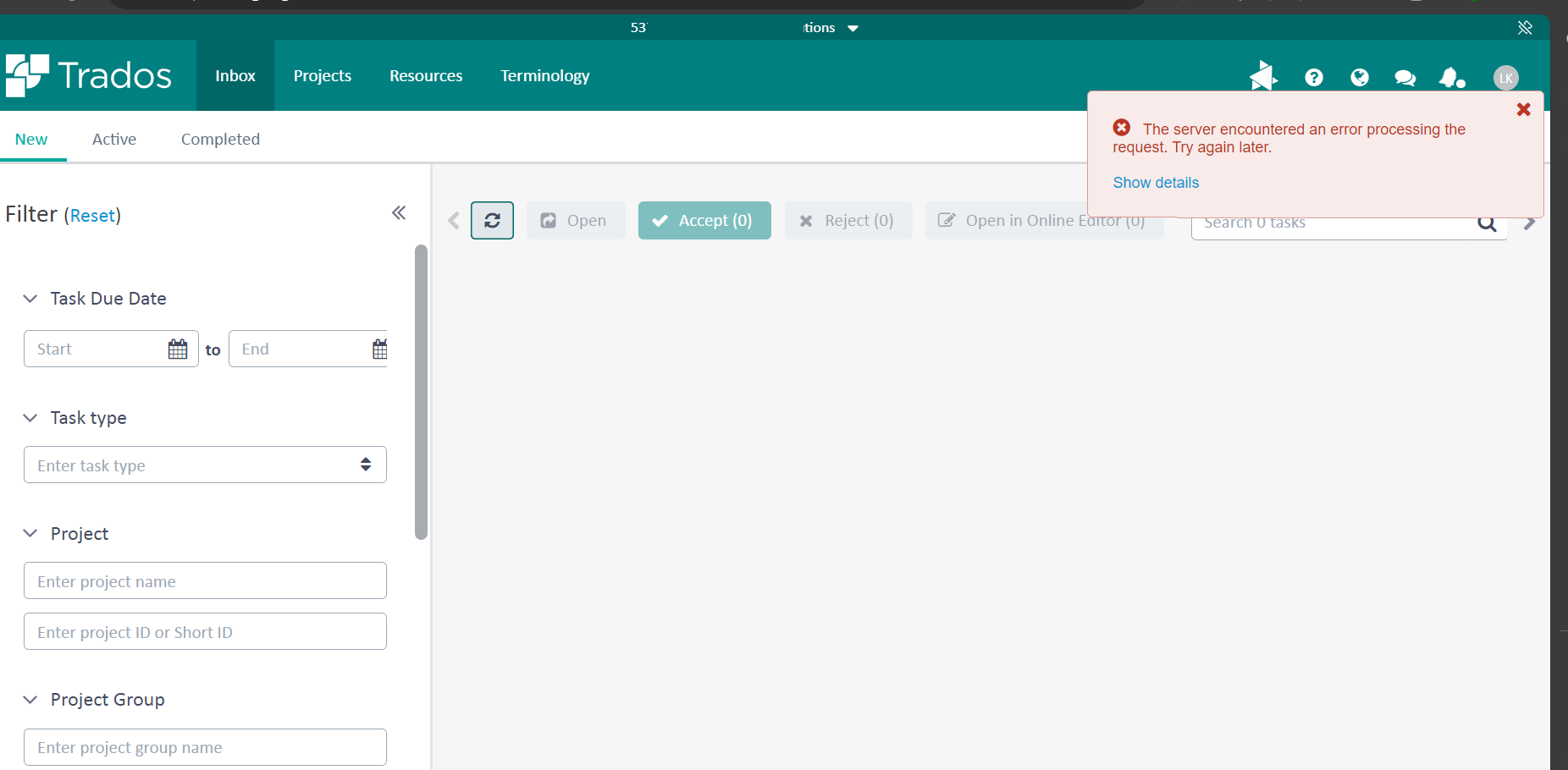
User-added image


User-added image

Resolution

The issue has been escalated to the Engineering team and the issue has been fixed with the latest release.

The workaround is to reset the customer filters on the UI and leave the "Customer" field empty or to select a value from the dropdown menu. 

Root Cause

There is a UI bug which allows the "Customer" field to be manually filled by the user, and in this user case it is filled with a backslash "\". This value causes the error returned by the server as it is a special character. Once entered the value seem to also be persisted by the UI.

Reference
Send Article Feedback
RWS Machine Translation Translation Software Language Services Content Management
All Contents Copyright © RWS.
COPYRIGHT PRIVACY POLICY COOKIE POLICY TERMS AND CONDITIONS
