Login/Register
  • Home
  • Community
  • Knowledge
  • Technical Docs
  • RWS Support Policy
  • Trados Studio Licensing Help
  • Login for Support
Back to Search Results

Cannot create project with IDML files or import SDLXLIFFs into TM in Trados Studio

000022031 |3/8/2024 5:32 PM
Scope/Environment
Trados Studio 2022
Symptoms/Context
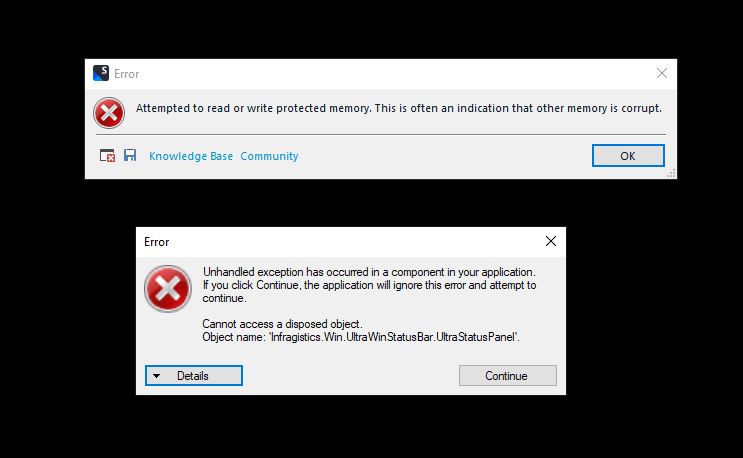
When trying to create a project with an IDML file / add IDML files to an existing project / add SDLXLIFF files to a Translation Memory (TM) in Trados Studio 2022, you get error messages such as:

Exception of type 'System.OutOfMemoryException' was thrown
Import failed. The file could not be processed


or:
User-added image
 
Resolution
Lower the SDLXLIFF embedding size to 0 from File > Options > File Types > SDLXLIFF > General > Embedding:

User-added image
Root Cause
Reference
Send Article Feedback
RWS Machine Translation Translation Software Language Services Content Management
All Contents Copyright © RWS.
COPYRIGHT PRIVACY POLICY COOKIE POLICY TERMS AND CONDITIONS